Getting Started
Welcome to GCubeSDK, a C++ framework for developing your own homebrew games that can run on a GameCube or accurate emulators. It took strong inspiration from three.js for class names and structure. The SDK is available on Steam.
GCubeSDK provides a lightweight, minimalistic GUI for developers who prefer visual management and minimal configuration, while remaining fully compatible with traditional terminal-based workflows. Whether you're comfortable in bash or prefer point-and-click. Start with the GUI to get your project running in minutes, or go straight into the terminal for complete control.
Devlog
If you want to learn more about how this framework came together, there is a devlog on my website that covers the whole journey from the first triangle to where we are now.
First Steps
Use the editor to create a template project and run it in Dolphin. A disc image is not required.
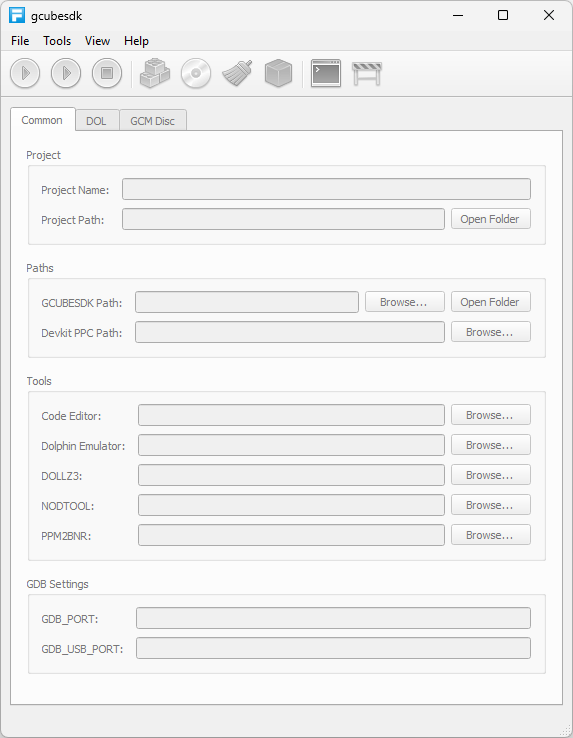
1.) Start GCubeSDK from Steam. The editor opens with no project loaded.
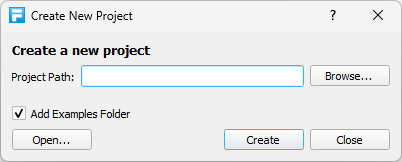
2.) Select File > New Project. Choose an empty folder and click Create.

3.) Click Open Code, or press F10. The
game loop is in src/main.cpp.

4.) Click Build, or press Shift+F7. The
compiler writes main.elf and main.dol.

5.) Click Run, or press F5. The editor
will start Dolphin with main.dol or offers to download it
for you. When you press No the editor will let you
select your custom Dolphin Path.
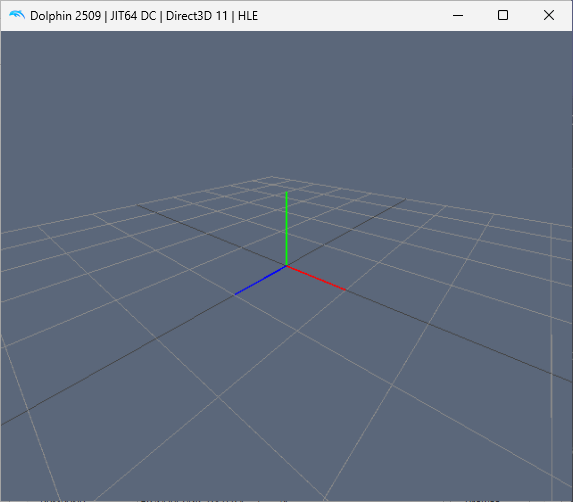
6.) The template scene shows a grid and axes. Use the arrow keys to orbit the camera. Press X and Y to zoom in and out.
Next Steps
Once you have build and run the default Project once, you should check out the ohter Examples to see how things work. Or if you want to understand the toolchain first then you can have look at Editor.