
Debugger
GCubeSDK debugs through GDB. make
gdb starts powerpc-eabi-gdb and attaches to the USB
Gecko port. Dolphin is the suggested emulator for this method of
debugging.
Dolphin
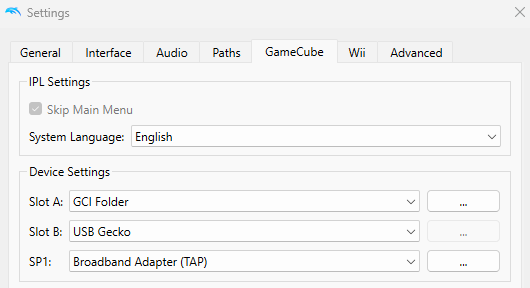
Open Dolphin Settings. Under GameCube Tab, Set Slot B to USB Gecko.
Add Breaks
Put _break(); where you want the game to stop.
Run
Build, then start the game. make,
then make run or make rungui for CLI user. The gdb
server should now run under the default port is 55020. See
GDB_USB_PORT.
Attach
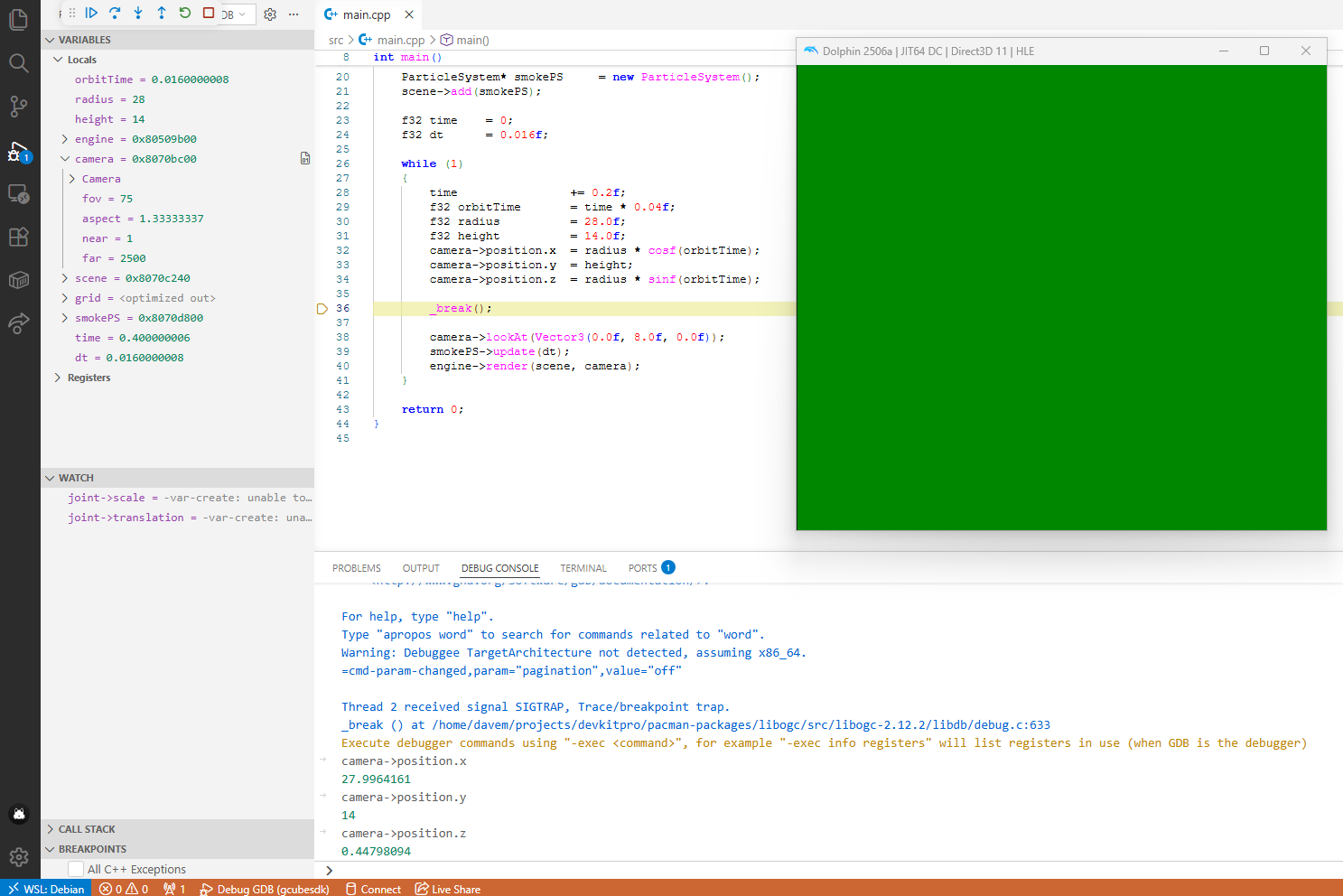
This is the attach step. When using the editor you can now click on
the Debug Button. If you are using a terminal:
make gdbThis will load the main.elf and connects
powerpc-eabi-gdb to the USB Gecko port.
Visual Studio Code
VS Code can also attach if the project has a
.vscode/launch.json. New Project does not write that file.
You add it yourself.
Use a cppdbg configuration that runs
powerpc-eabi-gdb on main.elf and issues
target remote to the machine that runs Dolphin, on GDB_USB_PORT (default
55020).
| Key | Value |
|---|---|
| Name | Debug GDB |
| Type | cppdbg |
| Program | main.elf |
| Debugger | powerpc-eabi-gdb |
| Connect | target remote HOST:55020 |
HOST is the computer that runs Dolphin. On WSL that is
often the Windows host, not localhost.
{
  "version": "0.2.0",
  "configurations": [
    {
      "name": "Debug GCubeSDK",
      "type": "cppdbg",
      "request": "launch",
      "program": "${workspaceFolder}/main.elf",
      "miDebuggerPath": "powerpc-eabi-gdb",
      "miDebuggerArgs": "--interpreter=mi",
      "cwd": "${workspaceFolder}",
      "externalConsole": false,
      "MIMode": "gdb",
      "setupCommands": [
        {
          "description": "Connect to Dolphin",
          "text": "target remote 172.18.48.1:55020",
          "ignoreFailures": false
        },
        {
          "description": "Enable pretty printing",
          "text": "-enable-pretty-printing",
          "ignoreFailures": true
        },
        {
          "description": "useful printing defaults",
          "text": "set print pretty on",
          "ignoreFailures": true
        }
      ]
    }
  ]
}
Other editors
make gdb does not need VS
Code. Other IDEs are untested here. They can work if they can run
powerpc-eabi-gdb and connect with
target remote on the USB Gecko port.
| Key | Default | Used by |
|---|---|---|
| GDB_USB_PORT | 55020 |
make gdb |
| GDB_PORT | 2828 |
BBA. Not make gdb. |